

About Configuration Tool
Configuration Tool has the following functions to allow easy setup and management of multiple printers.
-
Displaying Printer Information
-
Setting the Printer's Network Settings
About the Operating Environment
Note
-
You must log in as the computer's administrator for setup.
-
Some functions may not be available depending on the user settings. In such a case, log in to the computer as the administrator.
-
Internet Explorer 5.5 or later must be installed.
What you can do with Configuration Tool
-
[Device Info] tab
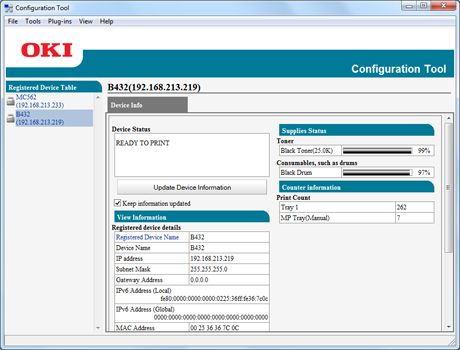
Information about the device is displayed
-
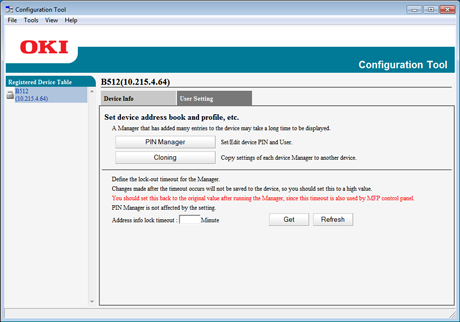
[User Setting] tab
-
Registration and editing of PINs, and access control settings
-
Copy of device manager settings
-
-
[Alert Info] plug-in
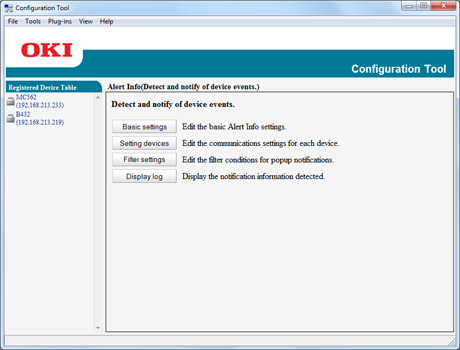
Detection and notification of events that occurred in the device
-
[Network Setting] plug-in
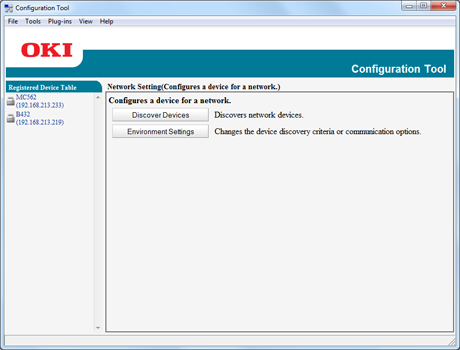
Network setup
-
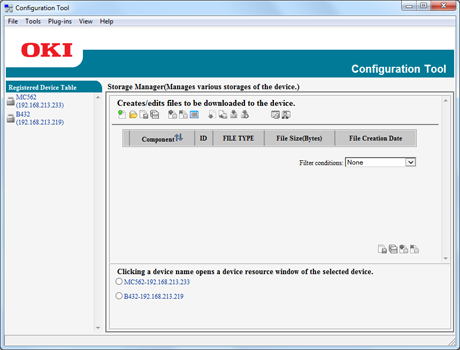
[Storage Manager] plug-in
-
Registration and deletion of form data
-
Management of stored jobs
-
List of icons used in Configuration Tool
|
Icon name |
Description |
|
|---|---|---|

|
Reread resource information |
Reloads the settings of the printer. |

|
Save to device |
Saves the settings in the printer. |

|
Return to top page |
Returns to the top page. |
List of icons used in Configuration Tool plug-ins
|
Icon |
Icon name |
Description |
|---|---|---|
|
|
Return to before changes |
Cancels the last change. |
|
|
Display administrator settings |
Displays the administrator settings. |
|
|
Discover Devices |
Searches for the printer again. |
|
|
Environment Settings |
Changes the search criteria for the printer. |
|
|
Device Settings |
Changes the IP address of the printer. |
|
|
Restart Device |
Restarts the printer. |
|
|
Change Password |
Changes the network password. |
|
|
Display Web Page |
Displays the Web page of the selected printer. |
|
|
New Project |
Creates a new project. |
|
|
Open Project |
Opens a project. |
|
|
Save Project |
Saves a project. |
|
|
Save As |
Saves the project under a name. |
|
|
Add file to project |
Adds a file to a project. |
|
|
Remove file from project |
Deletes a file from a project. |
|
|
Open a macro file filtering window |
Displays a filtering screen for PCL form files. |
|
|
Create download file |
Creates a download file. |
|
|
Send download file to printer |
Sends a download file. |
|
|
Send project files to printer |
Sends a project. |
|
|
Send file(s) to printer |
Send file(s) to the printer. |
|
|
Open a Job Management window |
Displays the job control screen. |
|
|
Open an Administrator Functions window |
Displays the administrator function screen. |


