

Setting Options Automatically
You can get the composition of options of the connected printer and automatically set the Windows PCL/XPS printer driver.
-
Click [Start], and then select [Devices and Printers].
-
Right-click the printer icon, and then select [Printer properties] > [OKI B432(*)].
* Select a printer driver type to use.
-
Select the [Device Options] tab.
-
Click [Get Printer Settings].
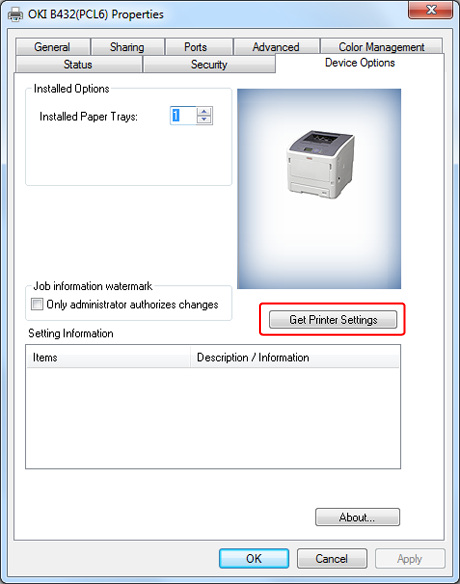
-
Click [OK].