

Setting the IP address
Note
As initial value, the IP address acquisition method is set to "Auto".
If there is a DHCP server on the network, the IP address obtained from the server is displayed.
-
Start Network Card Setup.
-
Select a printer from the list.
-
Select [IP Address] from the [Printer] menu.
-
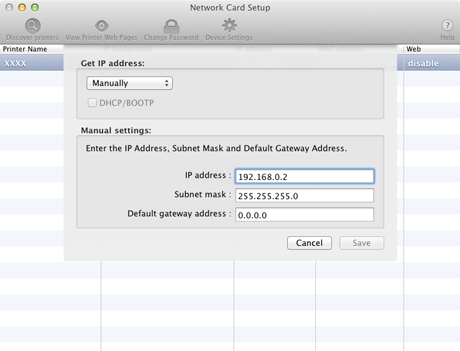
Change the settings as necessary, and then click [Save].
-
Enter the password, and then click [OK].
-
The factory default password is the last six digits of the MAC address.
-
The password is case sensitive.
The printer network card restarts.
-