

For the Network Connection
Connect the printer to a network with a LAN cable, and then set the language that is displayed on the operator panel.
-
Check that the printer and a computer are connected and the printer is turned on, and then insert the "Software DVD-ROM" into the computer.
-
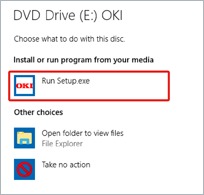
When [AutoPlay] is displayed, click [Run Setup.exe].
Memo
If the [User Account Control] dialog box is displayed, click [Yes].
-
Select a language from the drop-down list.
-
Read the license agreement, and then click [Agree].
-
Read the "Environmental advice for Users" thoroughly, and click [Next].
-
Select [Network(Wired/Wireless)], and click [Next].
-
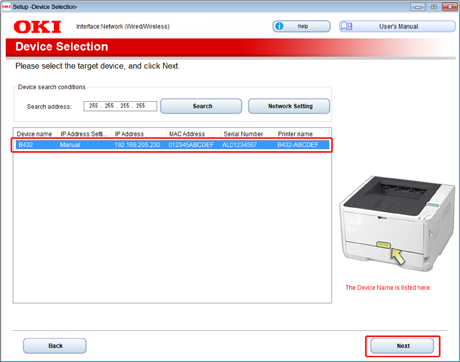
Select the printer to be set, and click [Next].
-
Click [Next]. When the message "The installation of software has not completed." appears, click [Yes].
-
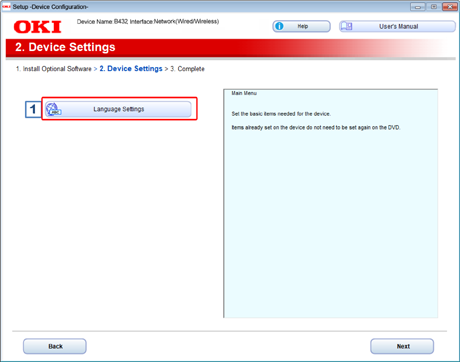
Click [Language Settings].
-
Select the language you want to set, and then click [Setup].
-
Enter the password, and then click [OK].
-
When a setting completion message is displayed, click [OK].
The printer restarts.