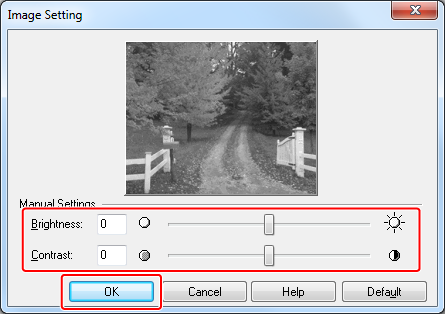
Adjusting the Contrast (Contrast)
Note
This function is not available with the Windows PCL printer driver.
-
Open the file to be printed.
-
Select [Print] from the [File] menu.
-
Click [Preferences].
-
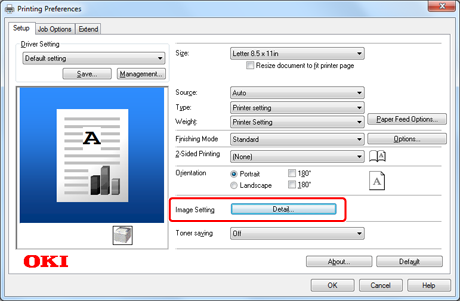
Click the [Setup] tab > [Image Setting] > [Detail].
-
Select the [Brightness] and [Contrast] values, and then click [OK].