Turning the Printer On
-
Plug the power cord into the power connector of the printer.

-
Plug the AC cord into the electric socket.
-
Press the power switch for approximately a second to turn the printer on.
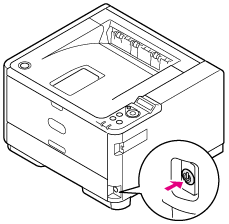
When the printer is turned on, the power switch LED lamp is lit.

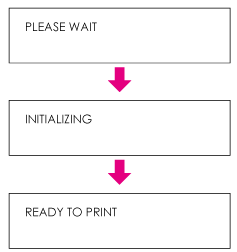
The operator panel displays the following, and when the startup process is complete, [READY TO PRINT] is displayed on the screen.