

Connecting to a Wireless LAN (Optional)
Connect the printer to a network by using a wireless LAN.
Note
The wireless LAN module (optional) may not be available in some countries and regions.
[Cautions] For using a wireless LAN
Read the following cautions carefully before using the printer in a wireless LAN environment.
-
The printer cannot connect to a wired LAN and wireless LAN at the same time. If using a wireless LAN, do not connect a LAN cable to the printer.
-
If the printer is used in a wireless network environment, the printer does not enter Deep Sleep mode but enters Sleep mode.
-
Do not place any electric products that emit weak radio waves (such as microwaves or digital cordless telephones) close to the printer.
-
If there is metal, aluminum sash, or a reinforced concrete wall between the printer and wireless access points, connections may be harder to be established.
-
The communication speed of a Wireless LAN connection may be slower than that of a wired LAN or USB connection depending on the environment. If you want to print big data such as a photo, it is recommended to print with a wired LAN or USB connection.
Preparations to use a wireless LAN
The printer can connect to a wireless LAN environment via wireless access points (WPS supported).
Check whether your wireless access point supports the following environment before using.
|
Item |
Value |
|---|---|
|
Standard |
IEEE 802.11 a/b/g/n |
|
Access method |
Infrastructure mode |
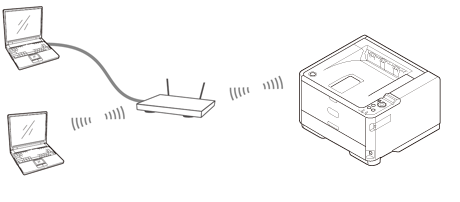
Checking the wireless LAN setting method
Check whether your wireless access point supports WPS, and then select a setting method.
If WPS is supported, refer to "Connecting with WPS"; if it is unknown whether WPS is supported, refer to "Selecting a Wireless Access Point from the Operator Panel to Connect".
-
If a wireless LAN access point supports WPS, you can connect to the wireless LAN with the WPS button.
-
Selecting a Wireless Access Point from the Operator Panel to Connect
If a wireless access point does not support WPS, you can specify a wireless LAN access point you want to use from the wireless LAN access points that the printer detects to establish a connection.
-
Setting from the Operator Panel Manually to Connect
Set the wireless LAN access point information (the SSID, encryption method, and encryption key) manually to connect to the wireless LAN.
-
Checking That Connection is Established Correctly
This section describes the procedure for checking by using the printer whether a connection to a wireless LAN is properly established.