About Paper Output
|
Output stacker |
Supported paper type |
Capacity |
|---|---|---|
|
Facedown stacker |
Plain paper |
150 sheets (if paper weight is 80 g/m2) |
|
Faceup stacker |
|
|
When performing duplex printing, paper is output to the facedown stacker.
Note
Do not open or close the faceup stacker during printing. Paper jams may result.
Outputting with the Print Side Down (Facedown Stacker)
Paper is output with the print side down.
Papers are output to and stacked in reverse order of printing on the top cover.
Up to 150 sheets of paper with a paper weight of 80 g/m2can be stacked.
Note
Check that the faceup stacker on the rear side of the printer is closed. If the faceup stacker is opened, paper is always output to the faceup stacker.
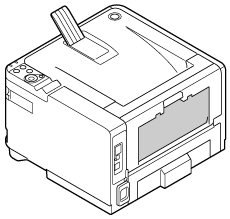
Memo
Open the paper support to prevent output paper from sliding off the top cover.
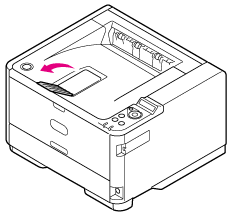
Outputting with the Print Side Up (Faceup Stacker)
Paper is output with the print side up.
Papers are output to and stacked in reverse order of printing on the faceup stacker.
Up to 100 sheets of paper with a paper weight of 80 g/m2can be stacked.
Note
-
Faceup output is not available with duplex printing.
-
Do not open the faceup stacker during printing. Paper jams may result.
-
Open the faceup stacker on the rear side of the printer.
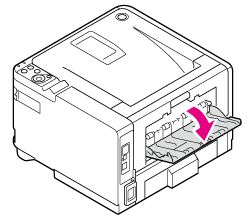
-
Open the faceup stacker.
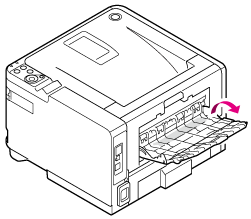
-
Pull the paper support out.