

How to Use This Manual
Note
There are some restrictions to use this manual. Use care.
-
For your comfortable use, recommended environments of this manual are as follows.
With the environment other than the following, it may occur malfunction of display, and some functions cannot be used.
-
Windows: Microsoft Edge
-
Mac OS: Safari
-
Display resolution: 1024 x 768 or more
-
-
Some functions are restricted if your Web browser cannot use the cookie function or does not permit it.
-
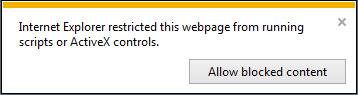
When you start this manual by clicking "index.html", the Active X console is displayed. Click [Allow blocked content].
-
This section describes the screen composition of this manual.
-
This section describes categories in this manual.
-
How to Use the Table of Contents
This section describes how to utilize the table of contents, such as registration of favorite topics.
-
This section describes how to search for the word you want to find from all the topics in this manual by using the search function.
-
How to Use Error Message Search
This section describes how to search for an error message that is displayed on the LCD panel on the printer.
-
This section describes how to print the topic you want to view.
-
This section describes marks, symbols, abbreviations, and other information in this manual.