

Printing the Same Document from the Registered Multiple Printers
You can print from multiple printers with a single command.
Note
-
This function enables you to send a print command to multiple remote printers so that they can print at the same time.
-
You must have the administrator rights.
-
Start OKI LPR Utility.
-
Select the printer to set.
-
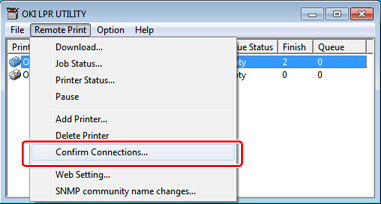
Select [Confirm Connections] from the [Remote Print] menu.
-
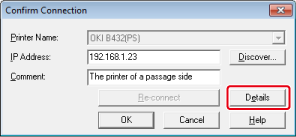
Click [Details].
-
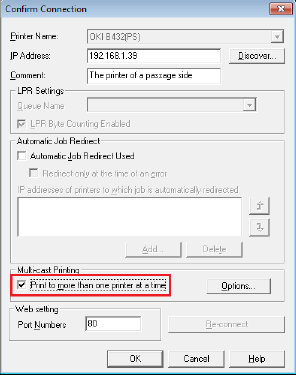
Select the [Print to more than one printer at a time] check box.
-
Click [Options].
-
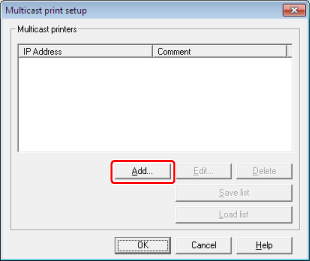
Click [Add].
Memo
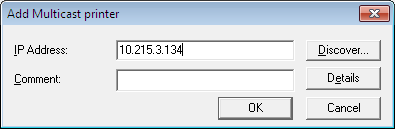
You can add a comment to the printers that print at the same time.
-
Enter the IP address of a printer that prints at the same time, and then click [OK].
-
Repeat steps 7 to 8 until you specify all the printers to add.
Memo
-
Click [Save list] to save the added printer information.
-
Click [Load list] to allow you to load or delete the save printer information.
-
-
Click [OK].