

Setting the OKI LPR Utility Port Number Again
If the Web port number has changed, change the OKI LPR Utility port number by following the procedure below.
-
Select a printer.
-
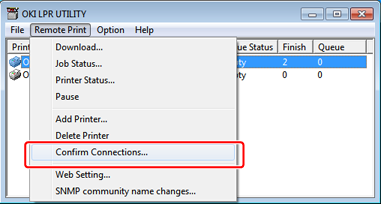
Select [Confirm Connections] from the [Remote Print] menu.
-
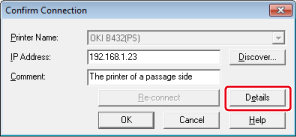
Click [Details].
-
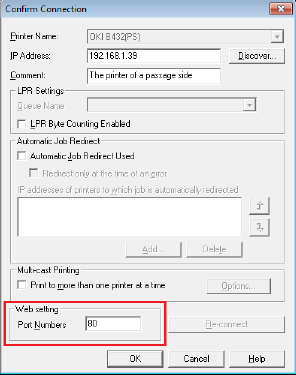
Enter the Web port number to use in [Port Numbers].
-
Click [OK].