

For Windows XPS Printer Driver
This section uses Notepad to describe printing on plain A4 paper from Tray 1 as an example.
-
Select [Print] from the [File] menu.
-
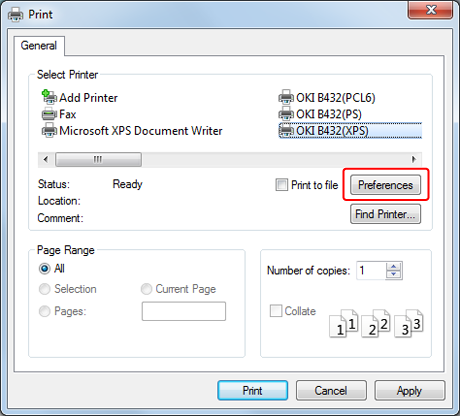
Select the XPS printer driver.
-
Click [Preferences].
-
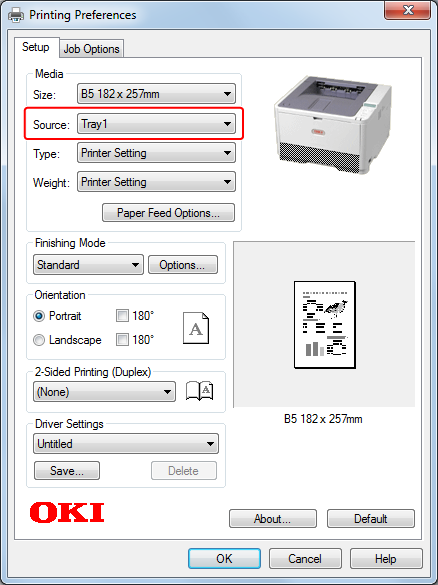
Select [Tray 1] for [Source] on the [Setup] tab.
-
Select [Printer Setting] for [Weight].
-
Click [OK].
The [Printing Preferences] screen closes.
-
Click [Print] on the [Print] screen.
Printing starts.