

Printing with the Computer's Fonts
You can print with the same TrueType font appearance as on the screen.
Note
-
This function is not available with the Windows PCL/XPS printer drivers and Mac OS X printer drivers.
-
The PS printer driver is not available with B412.
For Windows PS Printer Driver
-
Select [Print] from the [File] menu.
-
Click [Preferences].
-
Click [Advanced] on the [Layout] tab.
-
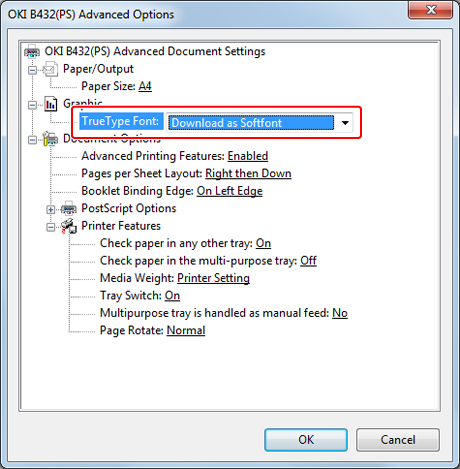
Select [Download as Softfont] for [TrueType Font].
-
Click [OK].
-
Change other settings if necessary, and then click [OK].
The [Preferences] screen closes.
-
Click [Print] on the [Print] screen.
Printing starts.