

Registering the Printer in a Computer (Mac OS X)
If you print for the first time, you must add a printer to a computer.
-
Turn the printer and computer on to establish a connection.
-
Select [System Preferences] from the Apple menu.
-
Click [Print & Scan].
-
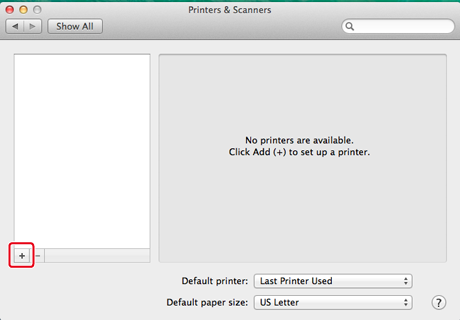
Click [+], and then select [Printers].
-
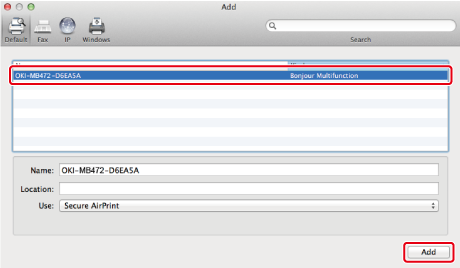
Select [OKI-B432-******], and then click [Add].
-
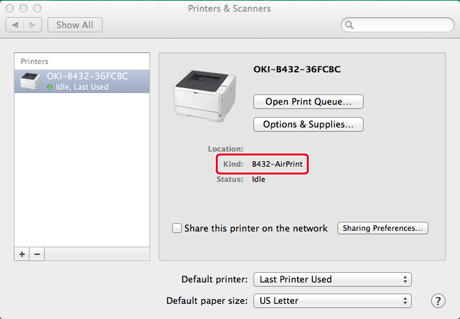
Check that the printer is displayed in [Printer], and [B432-AirPrint] is displayed in [Kind].
-
Close [Print & Scan].