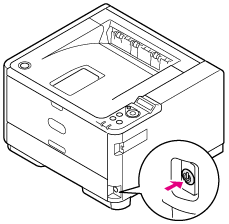
Tray 1 and Tray 2 (Optional)
Clean the paper feed roller in the paper cassette and the rollers inside the printer.
The following procedure uses Tray 1 as an example, and the same procedure is applicable to Tray 2.
-
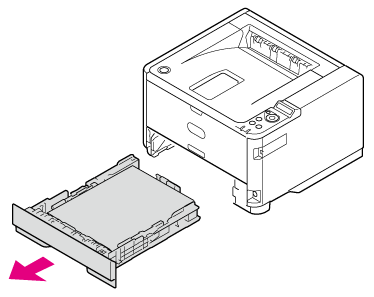
Pull the paper cassette out of the printer, and then remove the paper.
-
Wipe the two paper feed rollers inside the printer with a soft cloth that has been moistened with water and then squeezed well.
Note
-
Use only water to wipe.
-
The printer does not require lubrication. Do not lubricate the printer with oil.

-
-
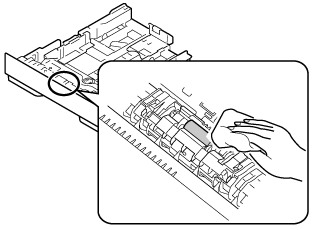
Wipe the separating roller in the paper cassette with a soft cloth that has been moistened with water and then squeezed well.
-
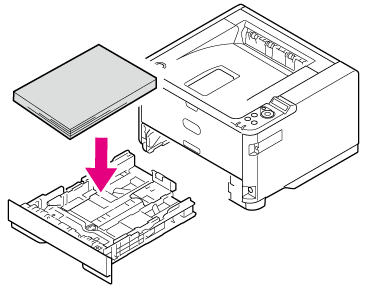
Load paper in the paper cassette.
-
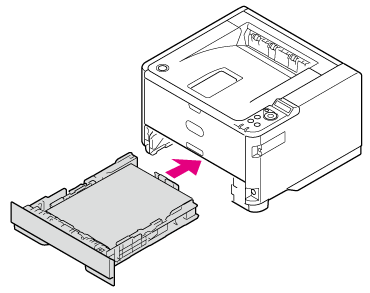
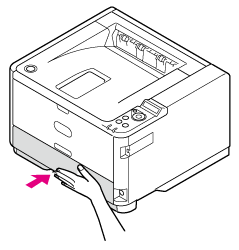
Insert the paper cassette into the printer.
Note
If the metal plate under the paper in the paper tray is up, press it down until it locks with a click before inserting the paper tray into the printer. Inserting the paper cassette without pressing down the metal plate may cause malfunction.