MP Tray
Clean the paper feed rollers in the MP tray.
-
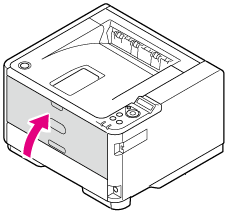
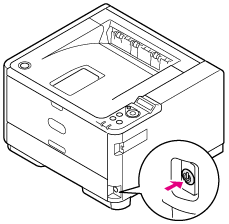
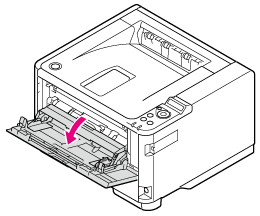
Open the MP tray.
-
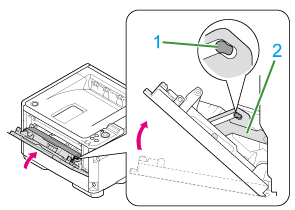
Close the MP tray slightly so that the left and right locks (1) can separate from the arms (2).
-
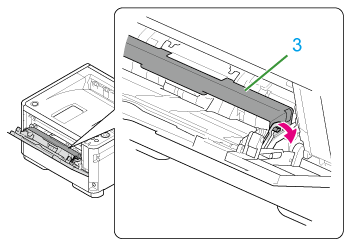
Unlock the roller guide (3) by opening the left and right arms outward.
-
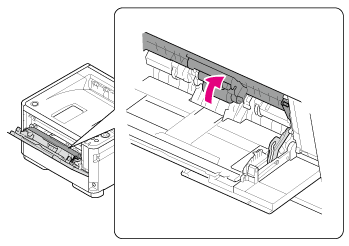
Open the roller guide until it comes in contact with the main unit.
-
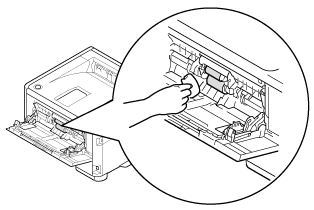
Wipe the paper feed rollers with a soft cloth that has been moistened with water and then squeezed well.
Note
-
Use only water to wipe.
-
You do not need to lubricate the printer with oil. Do not lubricate the printer with oil.
-
-
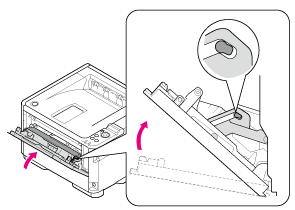
Close the MP tray slightly.
-
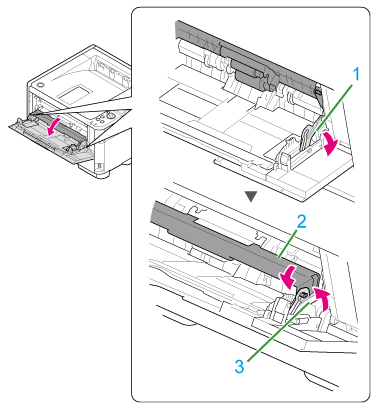
Lock (3) the roller guide (2) by opening the left and right arms (1) outward.
-
Close the MP tray.