

Setting to Send an E-mail Only If an Error Occurs
-
Open the Web page of the printer.
-
About the IP Address of the printer
-
How to log in to the Web page
-
-
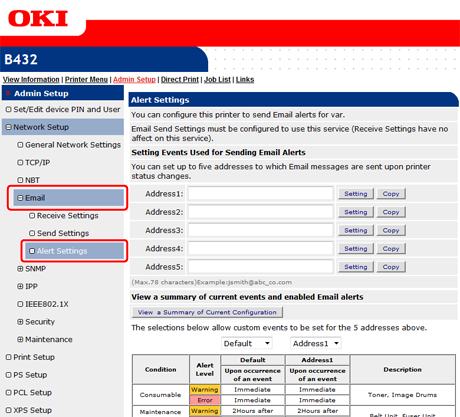
Click [Network Setup] on the [Admin Setup] tab.
-
Select [Email] > [Alert Settings].
-
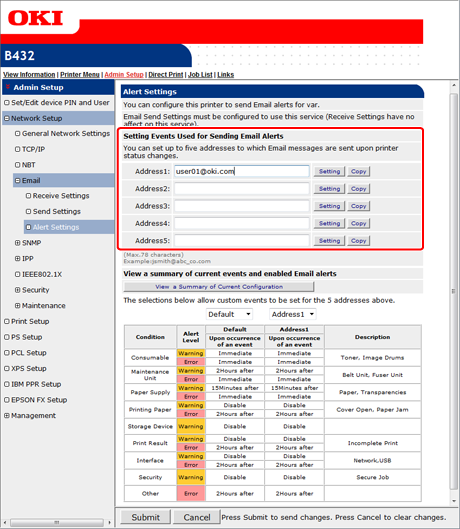
Enter an E-mail address to receive a failure notification.
-
Click [Setting] of the entered E-mail address.
Memo
If you want to apply the notification conditions to another address, click [Copy]. This is useful when you want to set the similar failure conditions to multiple destinations.
-
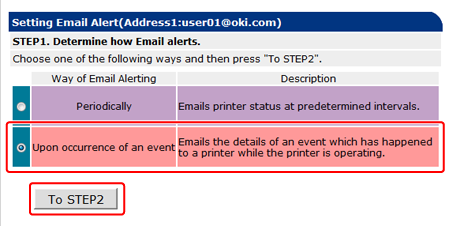
Select [Upon occurrence of an event], and then click [To STEP2].
-
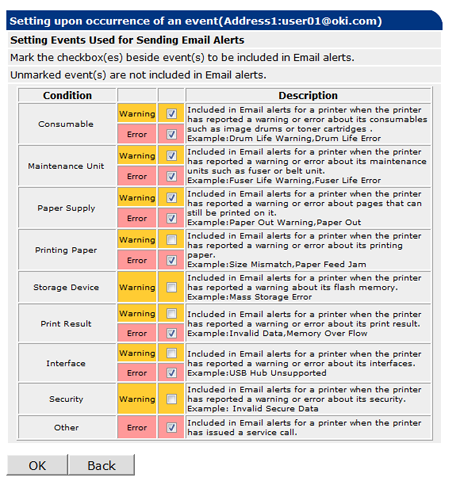
Select a check box of a failure type for notification in [Setting Events Used for Sending Email Alerts].
-
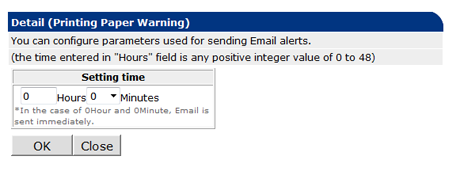
Set the delay time from when a failure occurs to when an E-mail is sent.
Memo
-
If you set the delay time, the printer notifies you of failures that keep occurring for a long time only.
-
If you set the delay time to [0 Hours 0 Minutes], an E-mail is sent immediately after a failure occurs.
-
-
Click [OK].
-
Check the failure notification settings.
-
To display a list
-
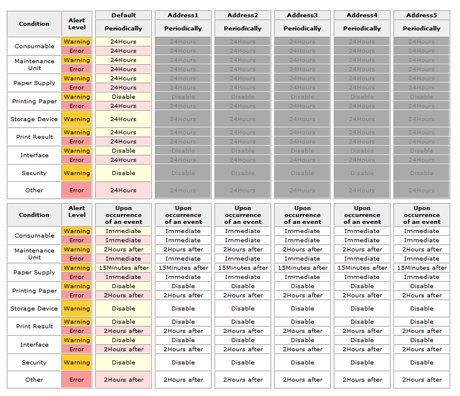
Click [View a Summary of Current Configuration].
-
Check the settings, and then close the window.
-
To compare the settings conditions of two destinations
-
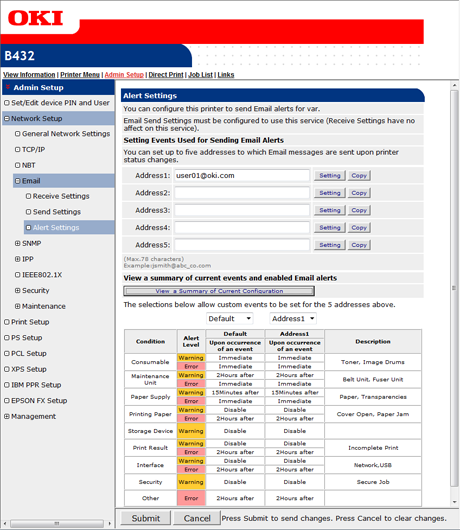
Select an address to compare from a list box.
-
Check the displayed settings.
Memo
You can change a notification condition setting by clicking it in the condition setting table.
-
-
Click [Submit].
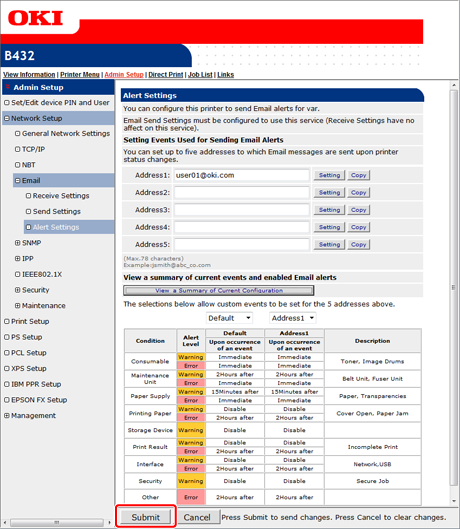
The settings are saved to the printer, and the network function restarts.