

Checking the Status of the Printer by Using SNMPv3
If you use an SNMP manager that supports SNMPv3, you can encrypt the printer management with SNMP.
Memo
-
You can set this setting on the Web page.
-
The description below uses the following environment as an example.
Printer: B432dn
IPv4 address of the printer: 192.168.0.2
-
Open the Web page of the printer.
-
About the IP Address of the printer
-
How to log in to the Web page
-
-
Select [Admin Setup].
-
Select [Network Setup] > [SNMP] > [Setting].
-
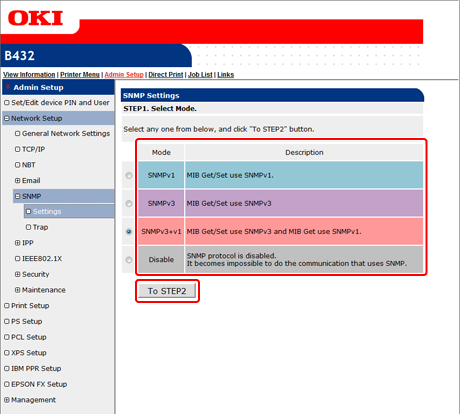
Select a version to use in [STEP1. Select Mode.], and then click [To STEP2].
Memo
If you select [SNMPv3], you cannot confirm and set with SNMPv1. If you select [SNMPv3+v1], you can confirm information with SNMPv1 and SNMPv3, but you can set with SNMPv3 only.
-
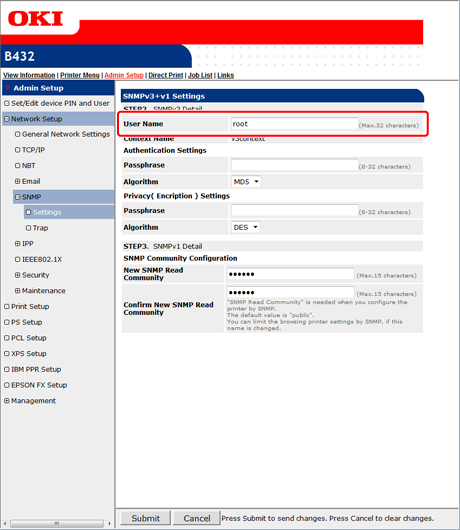
Enter the SNMPv3 user name in [User Name] in [STEP2. SNMPv3 Detail].
-
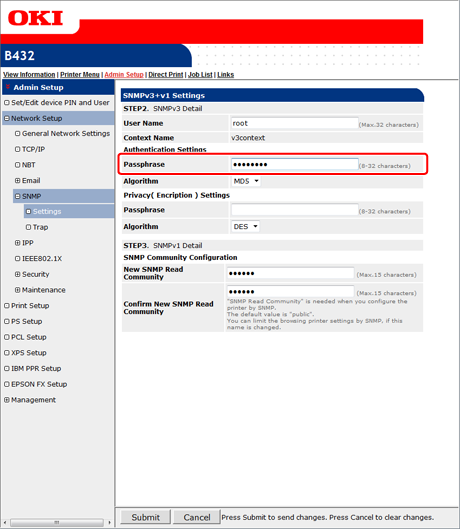
Enter an authentication passphrase in [Passphrase] in [Authentication Settings].
-
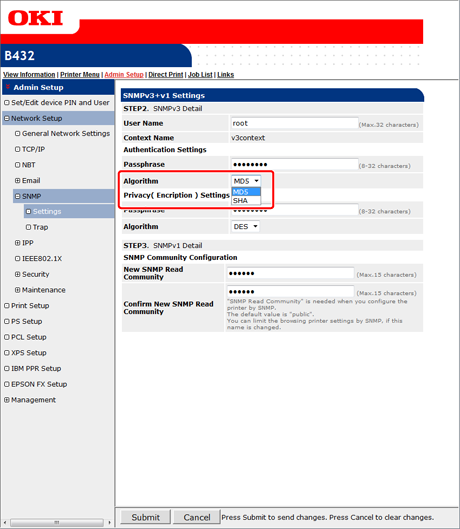
Select [Algorithm].
-
Enter an encryption passphrase in [Passphrase] in [Privacy( Encription ) Settings].
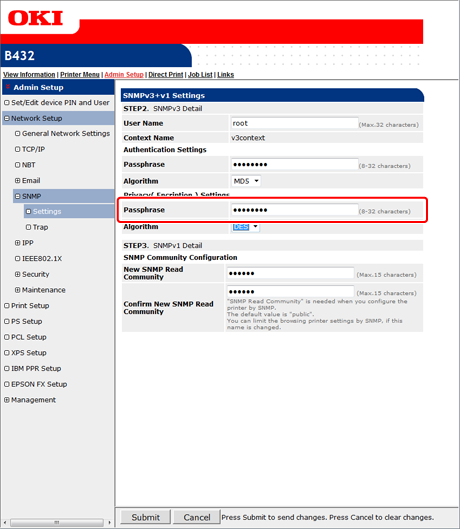
Only [DES] can be selected for the encryption algorithm.
-
Click [Submit].
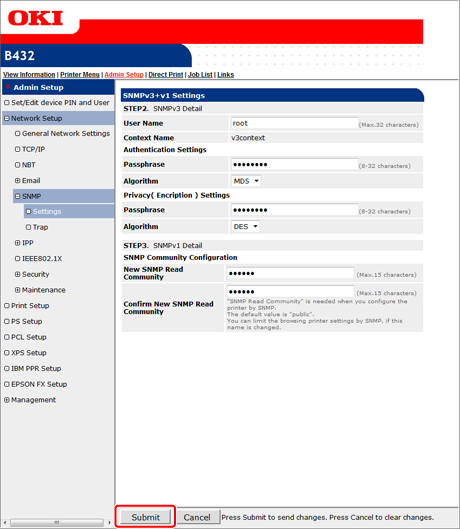
The settings are saved to the printer, and the network function restarts.
Memo
-
Set "v3context" for the context name of your SNMP manager.
-
An SNMP agent is implemented in the printer. You can confirm and change the printer settings with a commercially available SNMP agent.