

Limiting by Using IP Addresses (IP Filtering)
You can control access to the printer by using IP addresses. You can set whether to allow for setting or printing from a specified IP address.
Note
-
IP filtering is disabled by factory default.
-
An incorrect entry of an IP address does not allow for access to the printer by using the IP protocol. Use care when setting.
-
If IP filtering is enabled, IPv6 communication is not available.
Memo
-
You can set this setting with the Web page.
-
The description below uses the following environment as an example.
Printer: B432dn
IP address of the printer: 192.168.0.2
-
Open the Web page of the printer.
-
About the IP Address of the printer
-
How to log in to the Web page
-
-
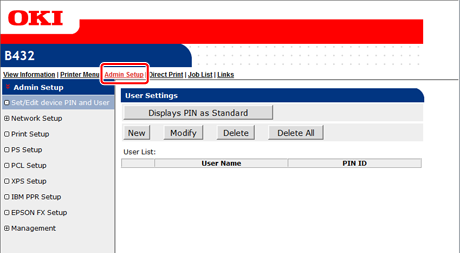
Select [Admin Setup].
-
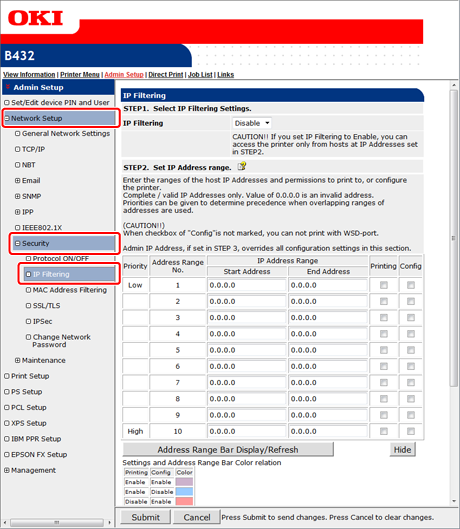
Select [Network Setup] > [Security] > [IP Filtering].
-
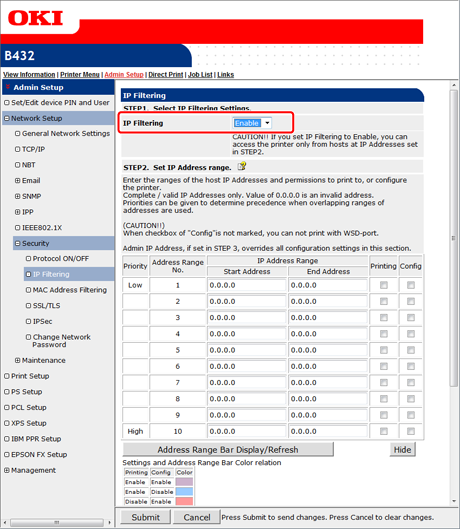
Set [IP Filtering] to [Enable] in [STEP1. Select IP Filtering Settings.].
Note
If IP filtering is set to [Enable], access from a host with any IP address other than the ranges that are set in [STEP2] is not allowed.
-
Set an IP address range in [STEP2. Set IP Address range.].
Note
-
Enter a range of hosts that are allowed to print or set by using IP addresses.
-
Use one-byte numbers that are separated with "." to specify an IP address.
-
If you enter 0.0.0.0 for an IP address, the IP Filtering function is disabled.
-
If IP address ranges overlap, the address range with the higher [Priority] is given priority.
-
Regardless of the specifications in [STEP2], you can set the addresses of the administrators who are allowed to print or set in [STEP3].
-
-
Click [Address Range Bar Display/Refresh].
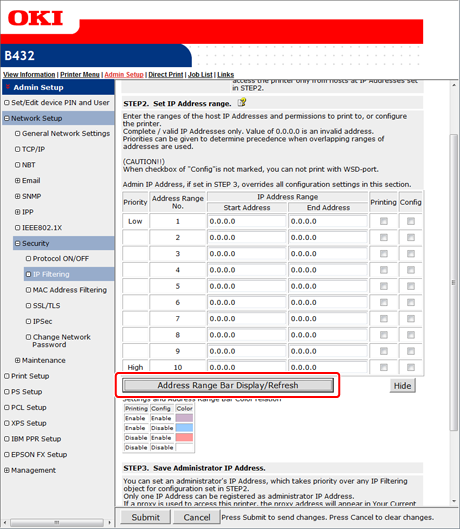
To correct an IP address range, enter corresponding IP addresses, and then click [Address Range Bar Display/Refresh] again.
-
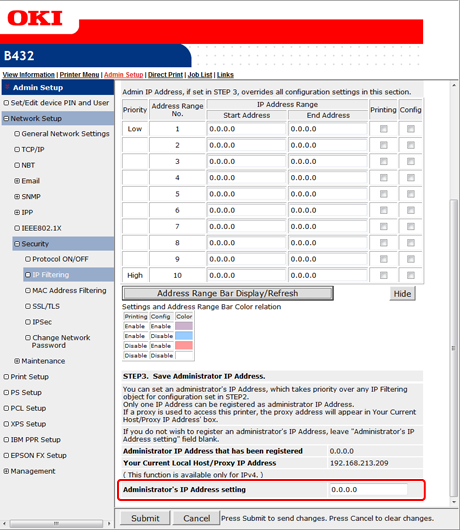
Set the [Administrator's IP Address setting] value in [STEP3. Save Administrator IP Address.].
Note
-
If you access the printer through a proxy or other device, the address of the device through which you access the printer is displayed in [Your Current Local Host/Proxy IP Address]. For this reason, your host address may be different from the address that is displayed in [Your Current Local Host/Proxy IP Address].
-
If nothing is registered in [Administrator's IP Address setting], access to the printer may not be allowed depending on the settings in [STEP2].
-
If you do not want to register the administrator's IP address, leave the [Administrator's IP Address setting] field blank.
Memo
If you enter the administrator's IP address in [Administrator's IP Address setting], the administrator can set from the host of the IP address that is set in [Administrator's IP Address setting] even if you set incorrect settings in [STEP2].
-
-
Click [Submit].
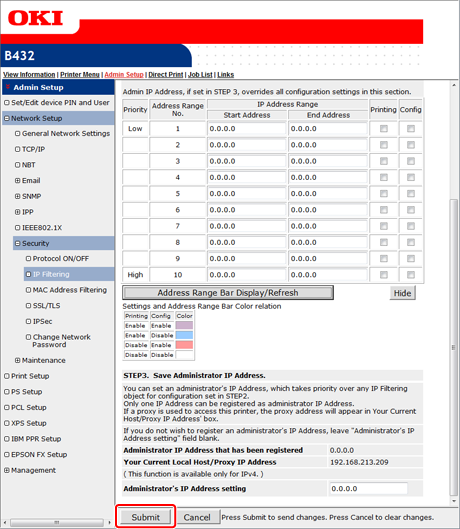
The settings are saved to the printer, and the network function restarts.