

Creating a Certificate
You can create a certificate on the Web page. The following certificates can be created.
-
Pre-installed Certificate
-
Self-signed certificate
-
Authority-issued certificate (creation of CSR)
Note
-
Before you create a certificate, be sure to delete the pre-installed certificate.
-
If you change the IP address of the printer after creating the certificate, the certificate becomes invalid. Be sure not to change the IP address of the printer after creating the certificate.
Using a Certificate That You Signed
-
Open the Web page of the printer.
-
About the IP Address of the printer
-
How to log in to the Web page
-
-
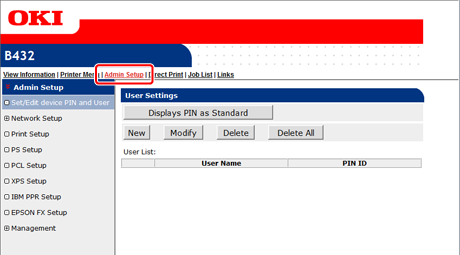
Select [Admin Setup].
-
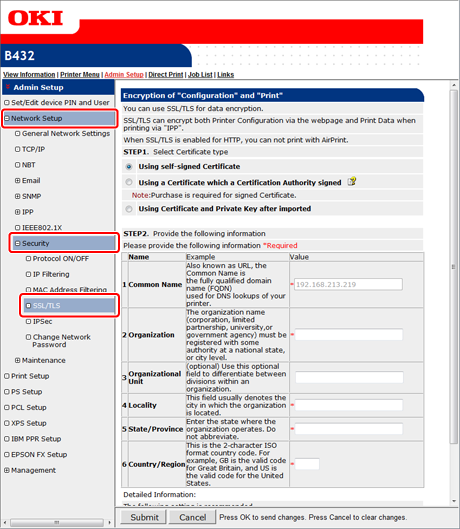
Select [Network Setup] > [Security] > [SSL/TLS].
-
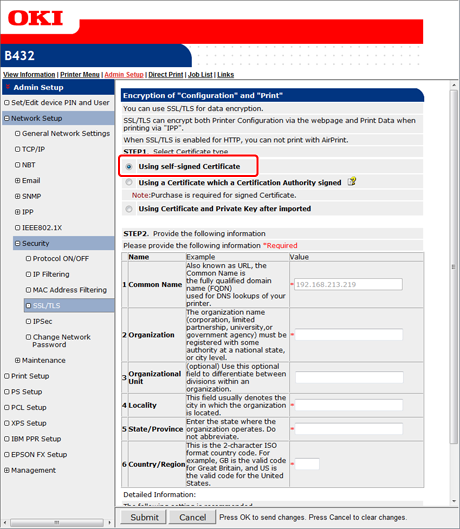
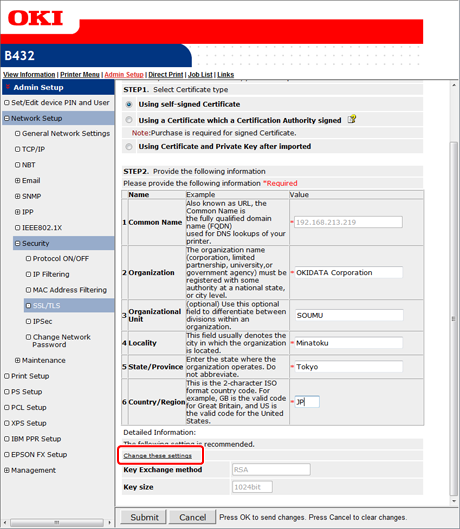
Select [Using self-signed Certificate] in [STEP1. Select Certificate type].
-
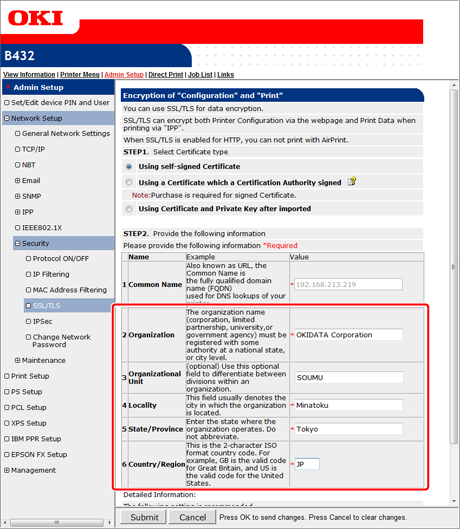
Enter [Organization] and other items.
Memo
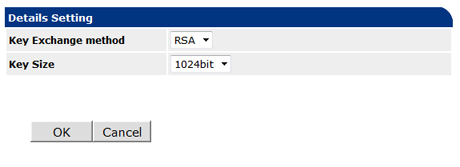
To change [Key Exchange method] and [Key size], click [Change these settings].
The default settings are RSA and 1024bit. Normally, use these settings.
-
Click [Submit].
-
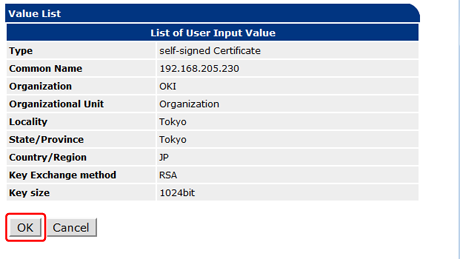
Check the entries, and then click [OK].
The creation of the certification is complete.
Using a Certificate That The Certificate Authority Issued
-
Open the Web page of the printer.
-
About the IP Address of the printer
-
How to log in to the Web page
-
-
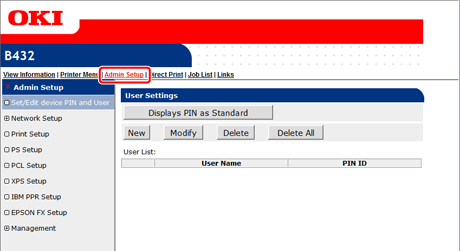
Select [Admin Setup].
-
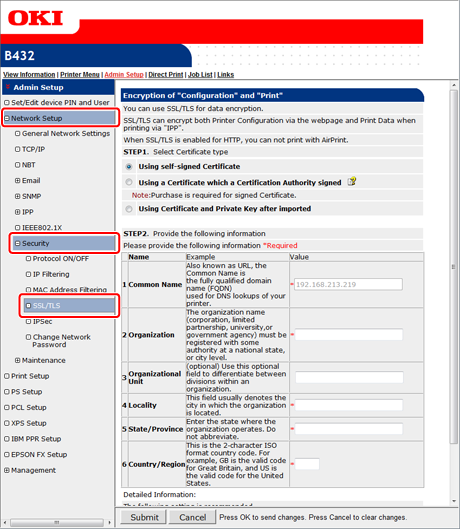
Select [Network Setup] > [Security] > [SSL/TLS].
-
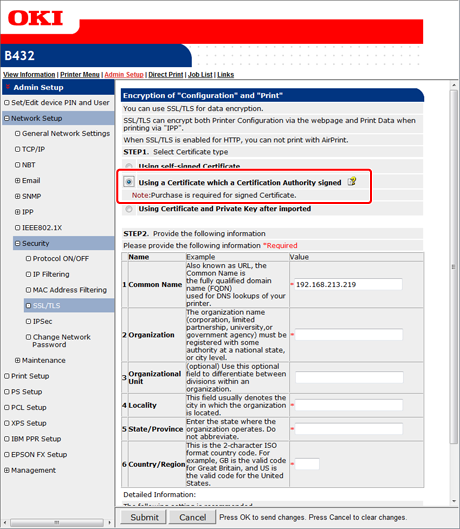
Select [Using a Certificate which a Certification Authority signed] in [STEP1. Select Certificate type].
-
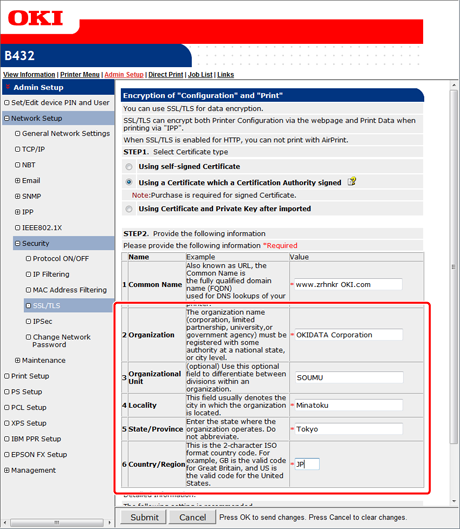
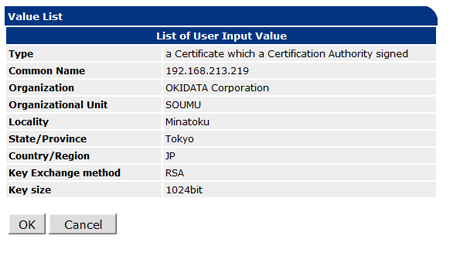
Enter [Organization] and other items.
Note
For details on issuing an entry certificate, follow the procedure provided by the certificate authority if [Using a Certificate which a Certification Authority signed] is selected.
Memo
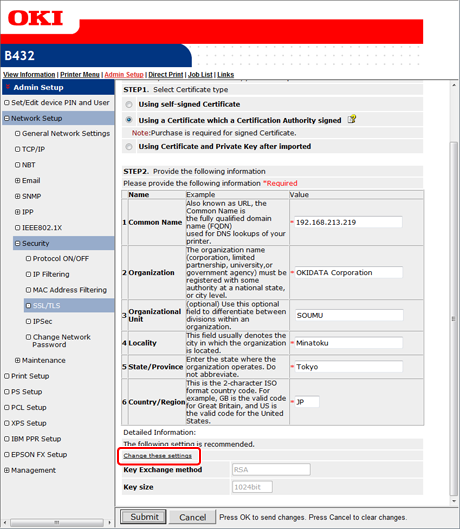
To change [Key Exchange method] and [Key size ], click [Change these settings].
The default settings are RSA and 1024bit. Normally, use these settings.
-
Click [Submit].
-
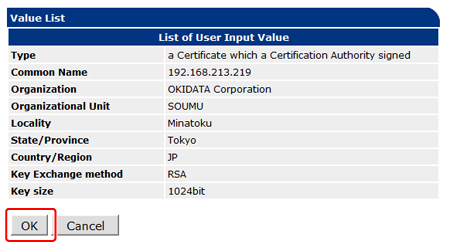
Check the entries, and then click [OK].
-
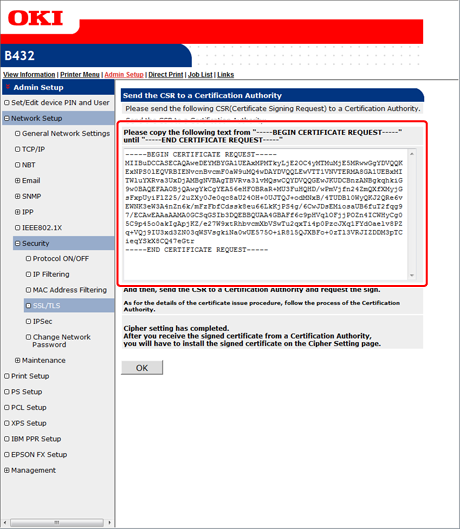
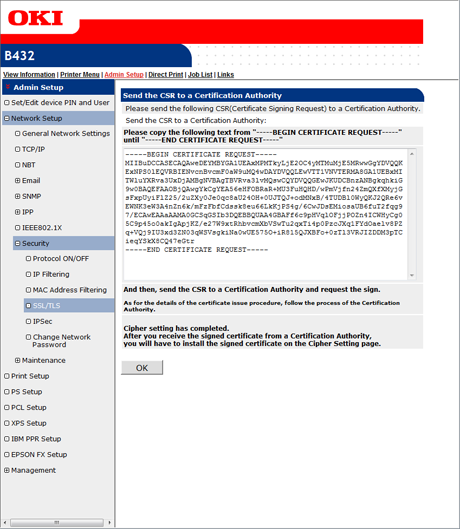
Copy the CSR, and then send it to a certificate authority.
Note
Copy from "----- BEGIN CERTIFICATE REQUEST -----" to "----- END CERTIFICATE REQUEST -----" in the text box.
Send the CSR by pasting it in the Web page, sending as a file, attaching it to an E-mail message, or using other methods depending on the certificate authority.
-
Install the certificate that is issued by the certificate authority (by using the Web page.)
-
Display the encryption (SSL/TLS) setting screen by following steps 1 to 4.
-
Paste the issued certificate from "----- BEGIN CERTIFICATE -----" to "----- END CERTIFICATE -----" in the text box, and then click [Submit].
This completes the creation of the certification of the certificate authority.