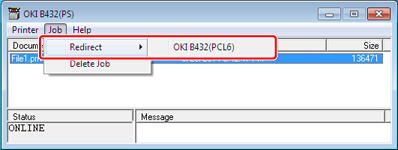
Forwarding the Selected Print Jobs
If you cannot print because the selected printer is busy, offline, out of paper, or due to other reasons, you can forward a print job to another printer.
Note
-
Print jobs can only be forwarded to another printer of the same OKI model as the one you are using.
-
Before forwarding a job, you must add a printer.
-
Start OKI LPR Utility.
-
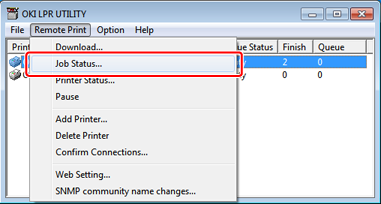
Select [Job Status] from the [Remote Print] menu.
-
If you want to forward a job, select the job, select [Redirect] from the [JOB] menu, and then select a forward destination printer.
The job is forwarded to the forward destination printer.