

Setting AirPrint
Connect the printer to the same network as a mobile device.
The printer supports infrastructure mode.
Note
The printer does not support ad-hoc mode.
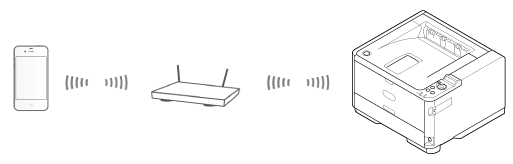
The printer is connected to a mobile device via wireless access points.
The printer is connected to the access points with a wired or wireless LAN.
If you want to connect with a Wireless LAN, set the wireless LAN in advance.
Connecting to a Wireless LAN (Optional)
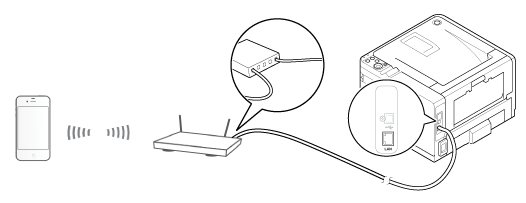
If using a router or hub as an access point on a wired LAN, connect the printer to the router or hub with a LAN cable.
Connecting with a LAN Cable (Network Connection)
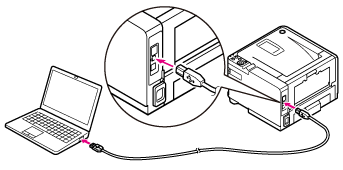
To use AirPrint from a Mac computer, connect the printer to the Mac.
To print by using AirPrint, you must configure settings from the terminal side. Proceed to "Printing with AirPrint".