

Using Network Card Setup with Mac OS X
Network Card Setup is a utility that enables you to set a network for the printer and display the Web page. This section provides an overview of Network Card Setup, and describes how to start the utility and what you can do with the utility.
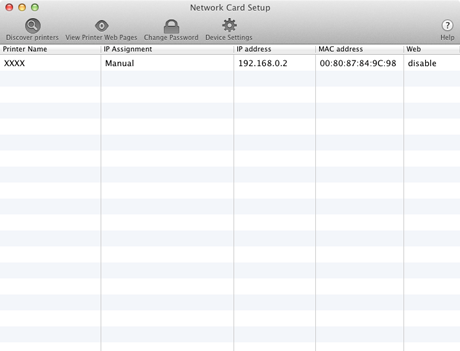
To use Network Card Setup, TCP/IP must be enabled.
Note
Set the TCP/IP settings.
-
This section describes how to start Network Card Setup.
-
This section describes how to search for a printer on a network by using Network Card Setup.
-
This section describes how to set the IP address of the printer that is connected to a network by using Network Card Setup.
-
This section describes how to set and open the Web page of the printer by using Network Card Setup.
-
This section describes how to exit Network Card Setup.