

About Items That Can be Set or Checked
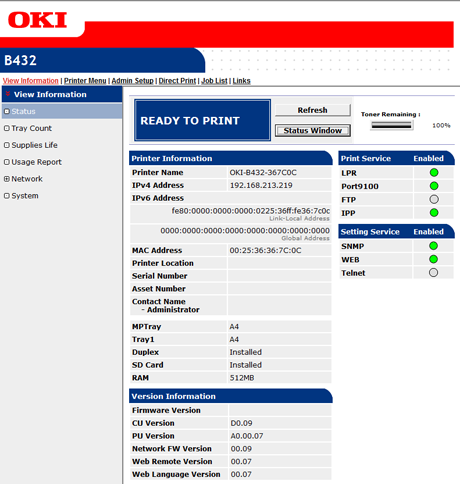
Device Information
|
Item |
Description |
|---|---|
|
Status |
Displays the current status of the printer. All the warnings and errors that have occurred on the machine are displayed as "failure information". You can also check the operating status of each network service, a list of printer information, and the IP address that is set to the printer. |
|
Tray Count |
Displays the number of prints made in each tray. |
|
Supplies Life |
Displays the remaining amount and lifetime of consumables. |
|
Usage Report |
Displays the print statistics results. |
|
Network |
You can check general information, the status of TCP/IP, maintenance information, and other Network setting information. |
|
System |
Displays each version, memory space, flash memory space, or system information. |
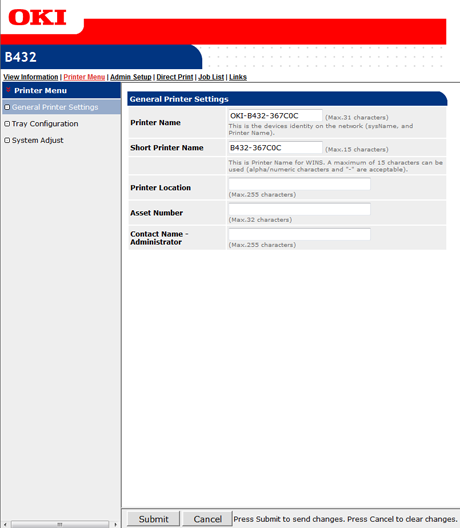
Printer Menu
|
Item |
Description |
|---|---|
|
General Printer Settings |
Sets the printer information that can be checked on the network. |
|
Tray Configuration |
Sets the tray configuration, user settings, auto tray switch, and other settings. |
|
System Adjust |
Sets the power save time, action to be taken when an alarm is tripped, timeouts, and other settings. |
Admin Setup
This function is displayed only if you log in as an administrator of the printer.
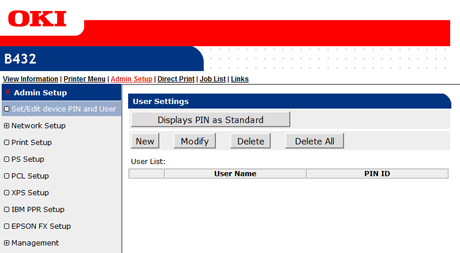
Device PIN and User Settings (Editing)
Printing can be controlled per user.
Network Setup
|
Item |
Description |
|
|---|---|---|
|
General Network Settings |
Sets a network protocol. |
|
|
Wireless |
Sets the wireless settings. |
|
|
TCP/IP |
Sets TCP/IP information. Setting the Network According to the Usage Environment and Application |
|
|
NBT |
Sets NetBIOS over TCP information. |
|
|
|
Sets E-mail settings. |
|
|
SNMP |
Sets SNMP information. |
|
|
IPP |
Sets the function that enables you to perform IPP print. |
|
|
IEEE802.1X |
Sets IEEE802.1X/EAP information. Connecting the Printer to the Authentication Network by Using IEEE802.1X |
|
|
Security |
Protocol ON/OFF |
Sets a network protocol and whether to turn the network service on or off |
|
IP Filtering |
Restricts access by using IP addresses. Access from outside your company is also supported. However, this function requires sufficient knowledge about IP addresses. Some settings may result in serious problems that prevent you from accessing the printer via a network. |
|
|
MAC Address Filtering |
Restricts access by using MAC addresses. Access from outside your company is also supported. However, this function requires sufficient knowledge about MAC addresses. Some settings may result in serious problems that prevent you from accessing the printer via a network. |
|
|
SSL/TLS |
Encrypts communications between a computer or mobile device (client) and the printer. |
|
|
IPSec |
Sets the encryption for communications between a computer (client) and the machine to prevent tampering. |
|
|
Change Network Password |
Changes the network password. The default value of the password is the last six digits of the MAC address. |
|
|
Maintenance |
Reset/Restore |
Restarts and resets a network. Even if you access the Web page from the Web browser after restarting, the Web page is not displayed until the restart is complete. Resetting restores the IP address to its default status, resulting in information you set being lost. In such a case, the Web page cannot be displayed. |
|
Network Scale |
This setting is intended for more efficient operation on a network. This setting is very effective for such cases as where a hub that has the spanning tree function is used, or a computer and the printer are connected one-on-one with a cross cable. |
|
Print Setup
You can set general printing settings.
PS Setup (Not supported by B412)
You can set the emulation mode for PS.
PCL Setup
You can set the emulation mode for PCL.
XPS Setup
You can set the emulation mode for XPS.
IBM PPR Setup
You can set the emulation mode for IBM PPR.
EPSON FX Setup
You can set the emulation mode for EPSON FX.
Management
|
Item |
Description |
|---|---|
|
RAM Setup |
Sets the memory's reception buffer size and other settings. |
|
Panel Setup |
Sets the control method if a near life warning occurs. |
|
SNTP Setup |
Sets the time in the printer. |
|
Power Setup |
Sets Power Save. |
|
Security Setup |
Sets access control. |
|
Tray Setup |
Sets the printing area size and other settings. |
|
Job Cancel Setup |
Sets job cancellation. |
|
Change Password |
Changes the administrator password. |
|
Settings |
Changes set values. |
|
USB Setup |
Changes the USB settings. |
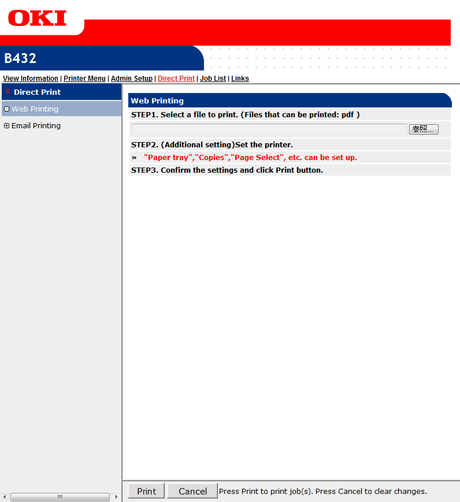
Direct Print
|
Item |
Description |
|---|---|
|
Web Printing (Not supported by B412) |
Specifies and prints a PDF file. |
|
Email Printing |
Prints a PDF, JPEG and TIFF file if it is attached on an E-mail that the printer receives. (B412 supports a TIFF file only.) |
Job List
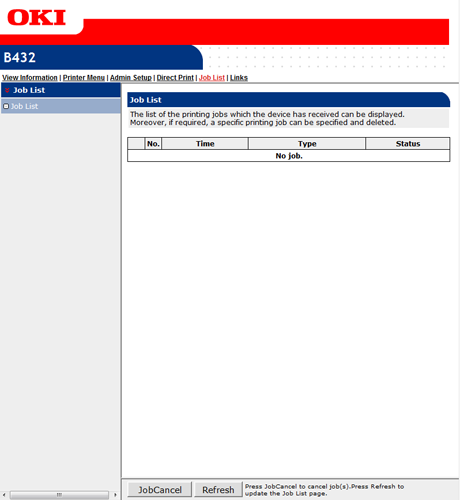
|
Item |
Description |
|---|---|
|
Job List |
Displays a list of print jobs that are sent to the machine. You can delete unnecessary jobs. |
Links
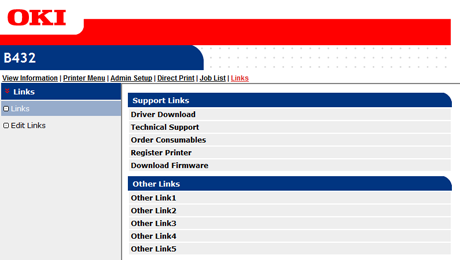
|
Item |
Description |
|---|---|
|
Links |
Displays the links (URL) that are set by factory default, and the links that are set by your administrator. |
|
Edit Links |
Your administrator can set any URLs. Five support links and five other links can be registered. Include "http://" in an entered URL. |